If you’re wondering “why my product page is not converting Shopify?”, you’re already asking the right question. Your product page is the most important part of your store—it’s where visitors decide whether to buy or leave.
If conversions are low, it’s not random. Something on the page is breaking trust, causing confusion, or failing to create enough desire.
Let’s go through the most common issues—and how to fix them.
Your Page Doesn’t Grab Attention Instantly
Visitors decide within seconds whether to stay or leave. If your product page doesn’t clearly communicate value right away, you lose them.
What to fix:
- Use a strong headline focused on benefits
- Show a clear, high-quality hero image
- Make the price and “Add to Cart” button visible immediately
- Add a short value proposition above the fold
Your goal: answer “Why should I care?” in the first 5 seconds.
Your Images Don’t Sell the Product
Images are often more important than text. Low-quality or generic visuals reduce trust instantly.
What to fix:
- Use high-resolution images
- Show the product in real-life situations (lifestyle shots)
- Include close-ups and different angles
- Add short video demonstrations if possible
Customers want to see how the product fits into their life.
Your Description Feels Generic
Many Shopify stores use supplier descriptions—and customers can tell.
Generic content doesn’t persuade or build confidence.
What to fix:
- Write in clear, natural U.S. English
- Focus on benefits, not just features
- Use bullet points for easy reading
- Address common objections (size, durability, use cases)
Make your copy feel like it was written for a real person—not copied from a catalog.
There’s No Trust on the Page
Trust is one of the biggest conversion factors—especially for new stores.
If your page looks unproven, people won’t risk their money.
What to fix:
- Add customer reviews (preferably with photos)
- Include trust badges (secure checkout, guarantees)
- Show shipping and return policies clearly
- Add real contact information
Trust should be visible without scrolling too much.
Pricing Feels Unclear or Unjustified
If visitors don’t understand why your product costs what it does, they won’t buy.
What to fix:
- Compare value vs. competitors in the U.S. market
- Highlight what makes your product worth the price
- Use anchors (e.g., “Was $49.99, now $29.99”)
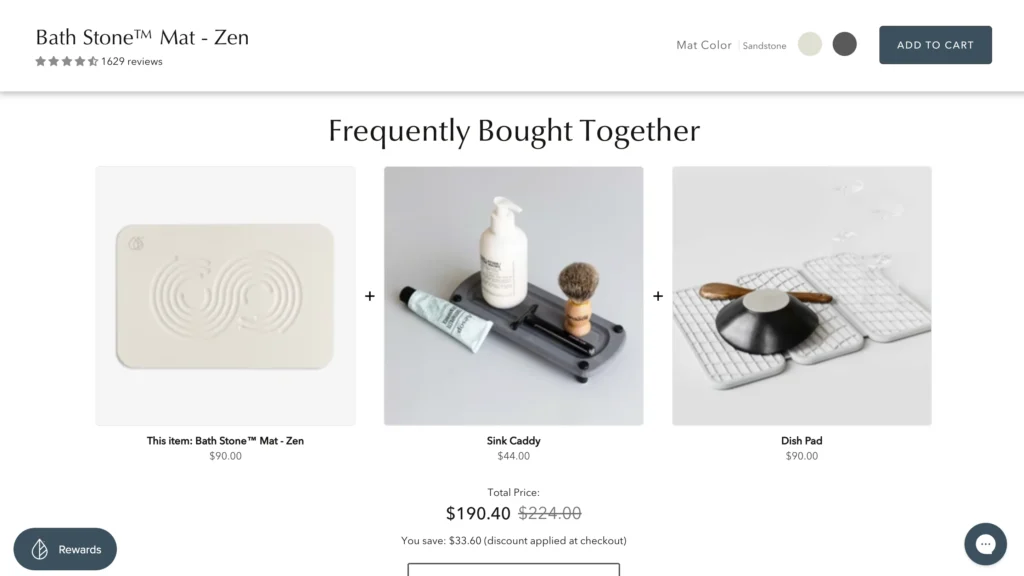
- Offer bundles or bonuses
Price isn’t just a number—it’s a message.
Your Call-to-Action Is Weak
If your “Add to Cart” button doesn’t stand out or feel compelling, users hesitate.
What to fix:
- Use clear text like “Buy Now” or “Get Yours Today”
- Make the button large and easy to tap (especially on mobile)
- Place it prominently near the top
- Repeat it throughout the page
A strong CTA reduces friction and encourages action.
The Page Is Too Slow or Cluttered
Speed and simplicity matter more than fancy design.
If your page loads slowly or feels overwhelming, visitors leave.
What to fix:
- Compress images to improve load time
- Remove unnecessary apps or scripts
- Keep layout clean and easy to scan
- Avoid too many popups
Fast, simple pages convert better—especially in the U.S. mobile market.
Mobile Experience Is Poor
Most users will see your product page on their phone.
If it’s hard to use, you’re losing a majority of potential buyers.
What to fix:
- Ensure buttons are thumb-friendly
- Keep text readable without zooming
- Avoid long, unstructured paragraphs
- Test the entire purchase flow on mobile
Design for mobile first—not desktop.
No Urgency or Motivation to Buy
Without urgency, customers delay—and often never return.
What to fix:
- Add limited-time offers
- Show low stock alerts (only if true)
- Highlight fast U.S. shipping (e.g., “3–5 business days”)
- Use subtle countdowns if appropriate
Give visitors a reason to act now.
Your Traffic Doesn’t Match Your Page
Sometimes the issue isn’t the page—it’s the visitors.
If your traffic expects something different than what your page offers, conversions drop.
What to fix:
- Align your ads with your product page
- Use consistent messaging and visuals
- Target audiences with buying intent
The right traffic + the right page = conversions.
Final Thoughts
If your Shopify product page is not converting, it’s rarely just one problem—it’s usually a combination of small issues.
Focus on:
- Strong first impression
- High-quality visuals
- Clear, persuasive copy
- Trust signals
- Smooth mobile experience
Fix these step by step, and your conversion rate will improve without needing more traffic.
FAQ
Q: What is a good product page conversion rate?
A: In the U.S., a typical range is 1%–3%, but optimized pages can go higher.
Q: What’s the biggest mistake on Shopify product pages?
A: Using generic descriptions and low-quality images that don’t build trust.
Q: Should I redesign my whole page if it’s not converting?
A: Not necessarily. Start with small improvements and test changes before doing a full redesign.
Q: How quickly can I improve conversions?
A: Some fixes (like better images or clearer pricing) can improve results within days.
